
Welcome to DOAIWORLD — Where we can do more and smarter with AI!
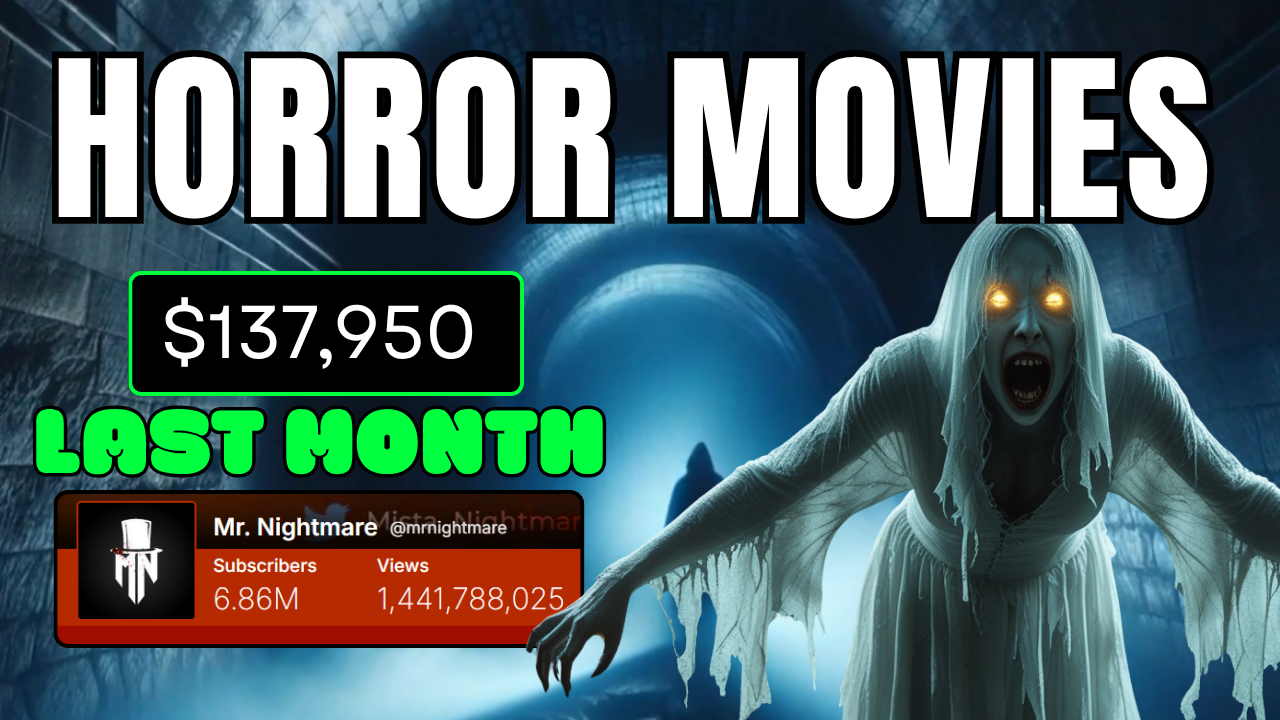
In the age of digital storytelling, horror movies have carved out a powerful niche. They engage our deepest fears and captivate millions across platforms like YouTube, TikTok, and Instagram. One standout example is the channel Mr. Nightmare, a simple but wildly successful YouTube creator with nearly 7 million subscribers and close to 1.5 billion views—all from chilling voiceovers and basic visuals.
But what if we told you that you could create high-quality horror content like that without voice acting, scriptwriting, or editing skills?
Thanks to tools like Videogen AI, an advanced AI video generator, building a horror-themed video has never been easier—even for total beginners. This guide will show you exactly how to leverage this tool to start your own horror video channel or content brand.
Why Horror Content Performs So Well
Before diving into the how-to, it’s important to understand why horror works so well online. Horror taps into a universal emotional response—fear. It’s primal, it’s immediate, and it keeps audiences hooked.
Unlike comedy or drama, horror doesn’t always rely on actors or expensive production. A good horror story told with chilling visuals and eerie sound design can go viral purely on atmosphere.
AI tools like Videogen AI make that atmosphere easy to create.
What is Videogen AI?
Videogen AI is a next-generation AI video generator designed for creators who want to produce videos quickly and professionally, without traditional editing headaches.
Key features include:
-
AI-generated scripts
-
Built-in voiceovers with realistic voices
-
Cinematic visuals from text prompts
-
Automatic captioning
-
Royalty-free horror music
-
One-click export in 1080p or 4K
It’s perfect for horror videos because it supports everything from eerie narration to dark, suspenseful aesthetics—all in one dashboard.
Getting Started with Videogen AI
Here’s a step-by-step walkthrough on how to use Videogen AI to create a horror movie-style video:
Sign Up and Upgrade
Go to the Videogen AI website and click “Sign Up” at the top right. Signing in with a Google account is fastest.
To unlock advanced features like 4K exports, unlimited script generation, and premium AI voices, upgrade to Videogen Pro. The subscription is affordable and well worth the investment for anyone serious about content creation.

Start a New Horror Project
Click on “Create Video” and choose “Generative Images”. This tells the AI to build visuals based on your script or theme. Horror works best with surreal, uncanny imagery, and the AI delivers exactly that.
Set:
-
Clip Pace: Fast (keeps viewers engaged and anxious)
-
Aspect Ratio: 16:9 (YouTube standard)
Then click “Continue.”
Coming Up With Horror Video Ideas
Struggling to think of a creepy story? Don’t worry.
Use a tool like ChatGPT to generate horror concepts. Try prompts like:
“Give me 10 horror movie ideas based on urban legends.”
You’ll get a range of scenarios: haunted houses, glitchy AI assistants, or eerie childhood memories. Pick one that excites you and copy the concept into Videogen’s “Idea” text box.
AI Scriptwriting Made Simple
Once your idea is submitted, Videogen’s AI will draft a full script. You can:
-
Accept it as-is
-
Edit it manually
-
Use ChatGPT to polish the tone or add scares
Don’t worry about formatting. Videogen handles the structure for you.
Add AI Voiceover
Here’s where the AI magic shines.
Videogen provides natural-sounding AI voiceovers. Choose:
-
Language
-
Gender (male or female)
-
Accent (British, American, etc.)
For horror, a slow, emotionless tone works best—it adds suspense and realism.
Click “Apply voice to all sections” for consistency.
Choose Horror Music and Sound Design
Background music sets the mood.
Browse Videogen’s royalty-free music library and choose from ambient drones, rising tension scores, or classic horror piano stings.
Adjust volume so the music supports the narration without overpowering it.
Branding and Captions
Add your logo to the video to start building brand recognition. Upload it and place it strategically (e.g., bottom-left).
Then, customize your captions:
-
Font style and size
-
Text color
-
Background box (optional)
Subtitles aren’t just for accessibility—they also improve watch time and SEO.
Exporting and Uploading
Once satisfied, click “Export”, select 1080p or 4K, and let the AI render your video.
You’ll get a fully edited horror video, complete with script, voice, visuals, captions, music, and branding—ready for upload to YouTube, TikTok, or wherever your audience lives.
The Benefits of Using Videogen AI for Horror Creators
-
No Technical Skills Needed: No editing software, no mic setup, no camera gear.
-
Faster Production: Entire videos can be made in under an hour.
-
Scalable Content Creation: Post more often and keep your audience engaged.
-
Monetizable Format: With YouTube’s ad revenue and affiliate links, horror videos are a goldmine.
-
Brand Building: Add logos, intros, and consistent aesthetics easily.
SEO Tips for Horror Video Creators
Now that you’re publishing horror content, make sure people can find it.
Keywords to Target
-
Horror movie
-
AI video generator
-
Videogen AI
-
Scary story YouTube
-
Horror narrator voice
-
Creepy animation video
Metadata Optimization
-
Title: Include “AI-generated horror movie” or “Scary video using Videogen AI”
-
Description: Mention the tools used (e.g., “Created using Videogen AI and AI voiceover”)
-
Tags: Use long-tail keywords like “how to make horror videos with AI”
Final Thoughts
The era of needing a full film crew to make compelling horror movie content is over.
With Videogen AI, anyone—from total beginner to marketing professional—can build a creepy, cinematic experience from nothing but an idea and a laptop.
If you’ve ever wanted to create spooky videos that go viral or start a horror-themed YouTube channel, now is the time. This tool doesn’t just save time—it makes your content look and feel professional.
So go ahead—open Videogen AI, spark up a story, and let your nightmares come alive.
