
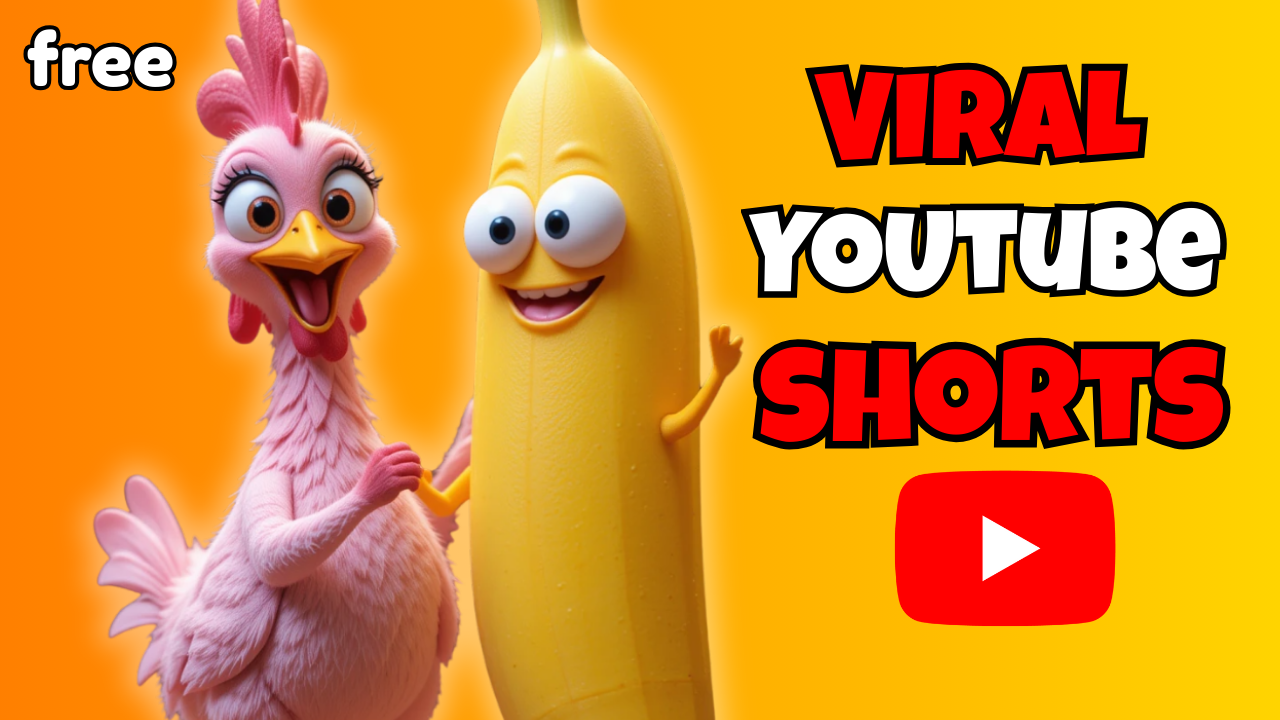
Can you believe a YouTube Shorts channel with just 83 videos has managed to hit 389,000 subscribers, generate over 794 million views, and earn more than $10,000 every single month?
Even more surprising: these videos aren’t high-budget productions. They’re simple, short clips that anyone can make—including you.
In this article, I’ll break down how to create Viral Youtube Shorts using free AI tools. I’ll walk you through the entire process step by step—from generating images, animating them, adding music, editing, and publishing on YouTube Shorts. By the end, you’ll see how easy it is to build an audience and monetize your content with the power of AI.
What Is a Viral Video and Why Does It Matter?
A Viral Youtube Short is a piece of content that spreads rapidly across social media platforms, racking up millions of views in a short period. These videos usually have a catchy, funny, or surprising element that makes people want to share them.
One great example is the “Chicken Banana” trend on YouTube. The video simply repeats the phrase “chicken banana” with quirky visuals and music. Sounds silly, right? Yet it reached millions of views worldwide.
The takeaway: simplicity plus creativity equals virality.
Why Use Free AI Tools for Video Creation?
In the past, making videos required expensive equipment, editing software, and sometimes even a production team. Today, thanks to artificial intelligence, you can:
-
Generate unique characters and visuals in seconds.
-
Turn still images into animated clips with realistic motion.
-
Produce original music tracks without needing music theory knowledge.
-
Edit professional-quality videos without prior experience.
And the best part? There are many free AI tools available, so you can start creating without spending a dime.
Step-by-Step: How to Make Viral Youtube Shorts With Free AI Tools
Start With a Simple Idea
Every Viral Video begins with a core idea. The key is to make it unique but easy to replicate.
Take the Chicken Banana trend as an example. Instead of copying the original yellow chicken, create your own twist:
-
A pink chicken
-
A blue chicken wearing sunglasses
-
A rainbow-colored chicken
These small variations make your content fresh, monetizable, and more likely to stand out.
👉 Pro Tip: Uniqueness is essential to avoid copyright issues and to qualify for YouTube monetization.
Generate Images With AI
Tool recommendation: Piclumen AI (or any AI image generator of your choice).
-
Go to ChatGPT and create a prompt like:
“Create a 3D animation image of a pink chicken dancing with a yellow banana with beautiful eyes.” -
Copy this into Piclumen AI.
-
Select 9:16 aspect ratio (perfect for YouTube Shorts).
-
Generate several versions and pick your favorite.
✨ SEO Tip: When you save the image, rename the file using keywords such as viral-video-ai.jpg for better search optimization.
Turn Images Into Animated Video
Tool recommendation: Hailuo AI.
-
Upload your chosen image.
-
Add motion, for example: “two characters dancing tango.”
-
AI transforms the still image into a smooth, animated clip.
-
Experiment with different dance styles (swing, hip-hop, salsa) to create multiple versions.
With 200 free credits to start, you’ll have plenty of opportunities to test animations.
Generate Music With AI
Tool recommendation: Sunno AI.
-
Ask ChatGPT to write funny, repetitive lyrics.
-
Copy the lyrics into Sunno AI.
-
Choose your preferred style (pop, EDM, cartoonish beat, etc.).
-
Generate multiple tracks and pick the catchiest one.
💡 Monetization Note: If you plan to profit from your YouTube channel, consider upgrading to a paid plan for exclusive, copyright-safe music.
Edit the Final Video
Tool recommendation: CapCut (free).
-
Import your AI-generated video clips and music track.
-
Arrange them on the timeline.
-
Editing trick: duplicate and reverse clips to make short footage longer and more dynamic.
-
Trim your audio to highlight the most addictive part of the song.
-
Export the final video in 4K quality.
👉 Save the file with an SEO-friendly name like viral-video-free-ai-tools.mp4.
SEO Strategy for Viral Youtube Shorts
Creating the video is just the first step. To make it go viral, you need to optimize it for YouTube’s algorithm.
-
Video Title
-
Example: “How to Make Viral Youtube Shorts With Free AI Tools | Chicken Banana Remix”
-
-
Video Description
-
Include main keywords: Viral Youtube Shorts, Free AI Tools, AI YouTube Shorts.
-
Add links back to your website or blog.
-
-
Hashtags
-
#ViralYoutubeShorts #AItools #YouTubeShorts
-
-
Thumbnail
-
Use bright, unique AI images (pink chicken + banana).
-
Tips to Boost Your Chances of Going Viral
-
Keep it short: 15–30 seconds works best for YouTube Shorts.
-
Catchy audio: Use music that’s easy to remember and repeat.
-
Humor and surprise: Viewers love quirky, unexpected twists.
-
Post consistently: Aim for 2–3 Shorts per week.
-
Stay on trend: Always watch for new viral formats and adapt quickly.
Benefits of Making Viral Youtube Shorts With Free AI Tools
-
Low cost – Start creating without investing in expensive equipment.
-
Time-saving – Go from idea to finished video in just a few hours.
-
Unlimited creativity – AI can generate endless variations and styles.
-
Massive reach – YouTube Shorts boosts fresh, creative content.
-
Monetization potential – Earn from ads, sponsorships, or affiliate links.
Final Thoughts
As you can see, creating Viral Youtube Shorts has never been easier thanks to free AI tools. With:
-
Piclumen AI for image generation
-
Hailuo AI for animations
-
Suno AI for music
-
CapCut for editing
You can produce fun, eye-catching videos that people will want to watch and share.
The real secret isn’t about having advanced editing skills—it’s about unique ideas and creativity. Even the smallest twist, like changing a chicken’s color, can make your video go viral.
