
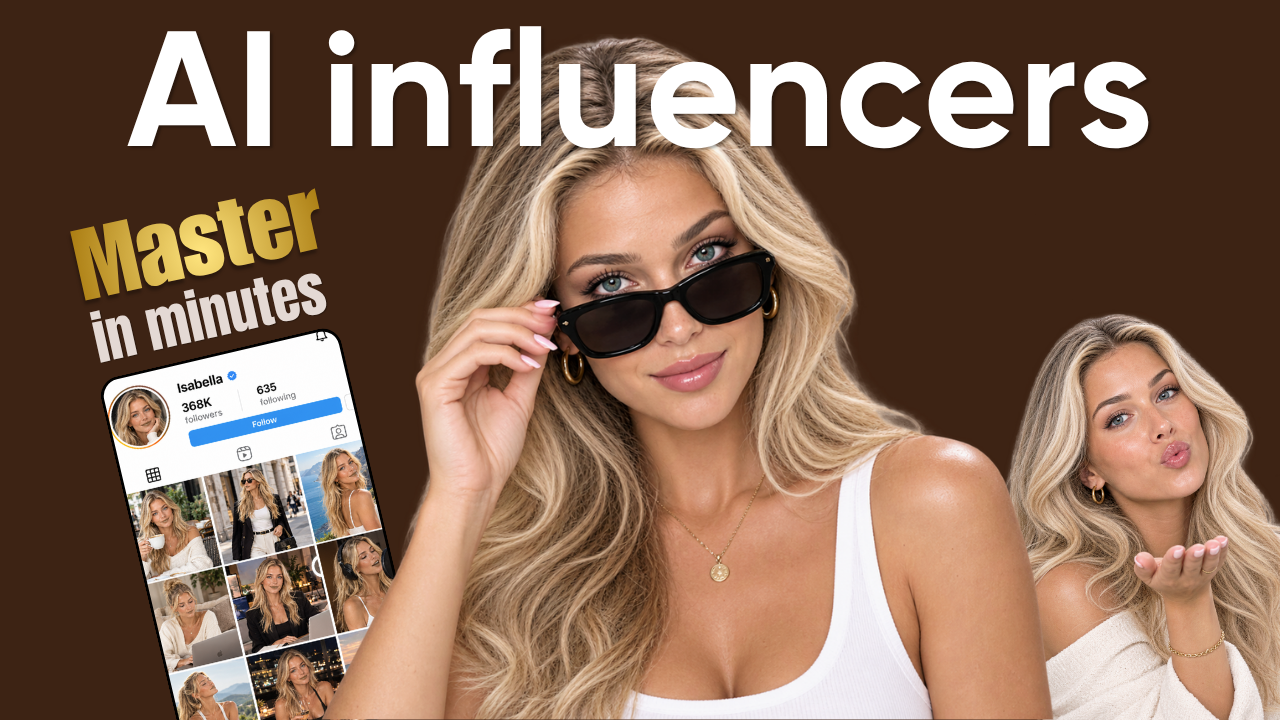
Digital marketing is undergoing a massive paradigm shift. AI Influencers—virtual personas created entirely through artificial intelligence—are no longer a futuristic experiment. Characters like Lil Miquela and Aitana Lopez are generating millions of followers and pulling in six-figure brand deals.
However, most creators who try to enter this space fail. Why? Because they focus purely on generating pretty faces rather than creating character consistency, brand identity, and scroll-stopping content.
If you want to build a hyper-realistic virtual persona from scratch, this comprehensive masterclass will walk you through the end-to-end process using OpenArt AI. We will cover everything from character development and image generation to voice cloning and video creation.
Why Virtual Influencers Are Taking Over Digital Marketing
Before diving into the technical workflow, it is crucial to understand why brands are increasingly shifting ad spend toward an AI Influencer:
-
100% Creative Control: No late shoots, no missed deadlines, and complete control over messaging, outfits, and environments.
-
Scalability: An AI character can be in Paris, Tokyo, and New York on the same day without travel costs.
-
High Engagement Rates: Audiences are fascinated by the blur between reality and virtual art, driving higher click-through rates (CTR) and comment section activity.
To build a lucrative virtual brand, you need a streamlined workflow that preserves character features across every photo and video. Here is the step-by-step guide to mastering virtual persona creation.
Step 1: Define Your Character Archetype and Visual Reference Sheet
A successful AI Influencer begins with a clear identity. You cannot rely on generic prompts; you need a defined persona with recognizable signature features.
1. Generate Your Concept with ChatGPT
Start by leveraging ChatGPT to engineer a complete persona foundation. Use a structured prompt to define your character’s age, nationality, profession, style, and signature visual trait (e.g., specific freckles, a signature haircut, or a distinctive eye color).
Example Concept: Scarlett “Bella” Monroe — A clean-luxury fashion and lifestyle creator based in Miami.
2. Create the Multi-Angle Character Reference Sheet
Once your concept is locked in, convert the persona into a character reference sheet prompt. This sheet must capture your character from multiple angles (front view, side profile, full-body, close-ups) to serve as your visual anchor.
-
Select the Image Generation tool and set your base model to GPT Image 2 (or a comparable high-fidelity realistic model).
-
Input your character reference prompt combined with multi-angle instructions.
-
Settings: Set the aspect ratio to 16:9, resolution to 2K, and quality to High.
Click Generate. You will receive an image sheet containing your character’s facial features and full-body structure from different perspectives. Download this asset—this is your primary Character Reference Image.
Step 2: Build a Consistent Image Feed
To grow a social media page, your persona needs a continuous feed of content: coffee runs, gym workouts, travel vlogs, and street-style shots. The key challenge is maintaining facial consistency across varying lighting, camera angles, and outfits.
Generating Targeted Image Prompts
Use ChatGPT to act as your creative director. Request prompts based on specific lifestyle themes (e.g., “Selfie at a minimalist café” or “Workout session at an urban gym”). Instruct the model to vary camera angles, expressions, and outfits while keeping facial structure intact.
Rendering Content in OpenArt AI
-
Return to the OpenArt AI workspace.
-
Drag and drop your Character Reference Image into the generator board.
-
Input your lifestyle prompt. Immediately after mentioning your character’s name, use OpenArt’s @ tag feature to directly link the prompt to your Character Reference Image.
-
Settings: Choose a 9:16 aspect ratio (ideal for Instagram Stories, Reels, and TikTok), 2K resolution, and High Quality.
Because of the direct image-tagging system in OpenArt AI, the rendered photo will seamlessly map your character’s precise features onto the new environment, outfit, and angle.
Step 3: Seamless Real-World Interactions & Scene Blending
A realistic virtual persona must interact with the real world—posing with human models, standing next to specific products, or wearing precise real-world clothing items.
How to Composite Your Persona into Existing Scenes:
-
Open the Video/Image Tools in OpenArt and upload your target background scene (e.g., a photo of a real-world location or a model posing).
-
Upload your Character Reference Sheet and the specific Outfit Image you want your persona to wear.
-
In the canvas workspace, tag both the character reference sheet and the garment image in your prompt.
-
Add strict background instructions:
"Integrate [Character Name] @[Character_Ref] wearing @[Outfit_Ref] into the scene next to the subject. Do not alter the original background, lighting, or composition." -
Set your aspect ratio (e.g., 3:4) and render at 1K or 2K resolution.
OpenArt will merge your character natively into the image, matching the environmental shadows, ambient lighting, and depth-of-field without altering the underlying real-world context.
Step 4: Clone a Unique Voice Model
A visual persona is only half the equation. To build authentic connections on Reels, TikTok, and YouTube Shorts, your AI Influencer needs a distinct, consistent voice.
Configuring Voice Synthesis in OpenArt AI
-
Head to the Audio tab inside OpenArt AI.
-
Select a high-fidelity voice engine such as Eleven Multilingual.
-
Input a short 15-second script introducing your character’s personality.
-
Browse the voice library and apply filters based on accent, gender, and age profile (e.g., American Accent, Female, Young).
-
Adjust Stability and Clarity/Similarity sliders to fine-tune vocal tone and emotion.
Once rendered, download this voice track. This audio file serves as your master Voice Reference, ensuring your character sounds identical across every video video posted.
Step 5: Animate Your Persona into High-Quality Video
Static images build grid aesthetic, but video content drives viral reach. OpenArt provides multiple state-of-the-art video models (including SeeDance, MiniMax, and Kling) to bring your persona to life.
Here are the two primary methodologies for generating video content:
Method 1: Start Frame Animation (Lip-Sync & Action)
This method takes a static image generated in Step 2 and animates it using speech and subtle motion.
-
Open Text-to-Video inside OpenArt AI.
-
Drag your chosen lifestyle image into the Start Frame box.
-
Drag your generated Voice Reference Audio into the workspace.
-
Select a reliable, cost-effective video model like SeaDance Mini.
-
Input your script and video prompt. Tag the image file after your character’s name throughout the prompt text to reinforce facial stability during movement.
-
Settings: Enable Audio, set aspect ratio to 9:16, resolution to 720p/1080p, and duration to 10 seconds.
The result is a talking-head video where facial movements, eye blinks, and lip synchronization match the natural cadence of the audio track while preserving environmental details.
Method 2: Direct Character Reference Video Generation
When you want to create dynamic vlog-style content involving accessories, walking motions, or environment shifts, generate video directly using multi-asset references.
-
Select an advanced video model like SeaDance 2.0.
-
Upload your master Character Reference Sheet, Voice Reference Audio, and any Accessory Images (e.g., designer sunglasses, hand bags).
-
Write a comprehensive motion prompt detailing environmental lighting, camera pans, and speech.
-
Tag each reference item directly within the prompt whenever it is mentioned:
"[Character Name] @[Character_Ref] wearing @[Sunglasses_Ref] walks through Miami, speaking in @[Audio_Ref]..." -
Set aspect ratio to 16:9 or 9:16 and render.
By explicitly linking image and audio tags inside advanced video generation models, you eliminate character drift, producing professional-grade vlog clips ready for publication.
Best Practices for Monetizing Your AI Persona
Building the character is only step one; monetizing it requires strategic execution.
-
Niche Down: Focus on hyper-specific niches such as luxury travel, street fashion, tech reviews, or wellness.
-
Maintain Platform Consistency: Post consistently across Instagram Reels, TikTok, and YouTube Shorts using vertical 9:16 video formats.
-
Transmedia Storytelling: Combine photo posts with short-form talking videos to create a believable, multi-dimensional life story.
-
Affiliate & Brand Sponsorships: As engagement grows, pitch brands for product placements, digital modeling campaigns, and affiliate promotions.
Conclusion
Creating a hyper-realistic virtual creator no longer requires a full production studio or 3D rendering team. By leveraging ChatGPT for prompt architecture and OpenArt AI for image rendering, voice cloning, and multi-asset video generation, you can launch a fully consistent AI Influencer from your laptop.
Follow this workflow, keep your prompts structured, and focus on delivering content that captivates your audience from the very first frame.
How to Create a Realistic AI Influencer with OpenArt
