
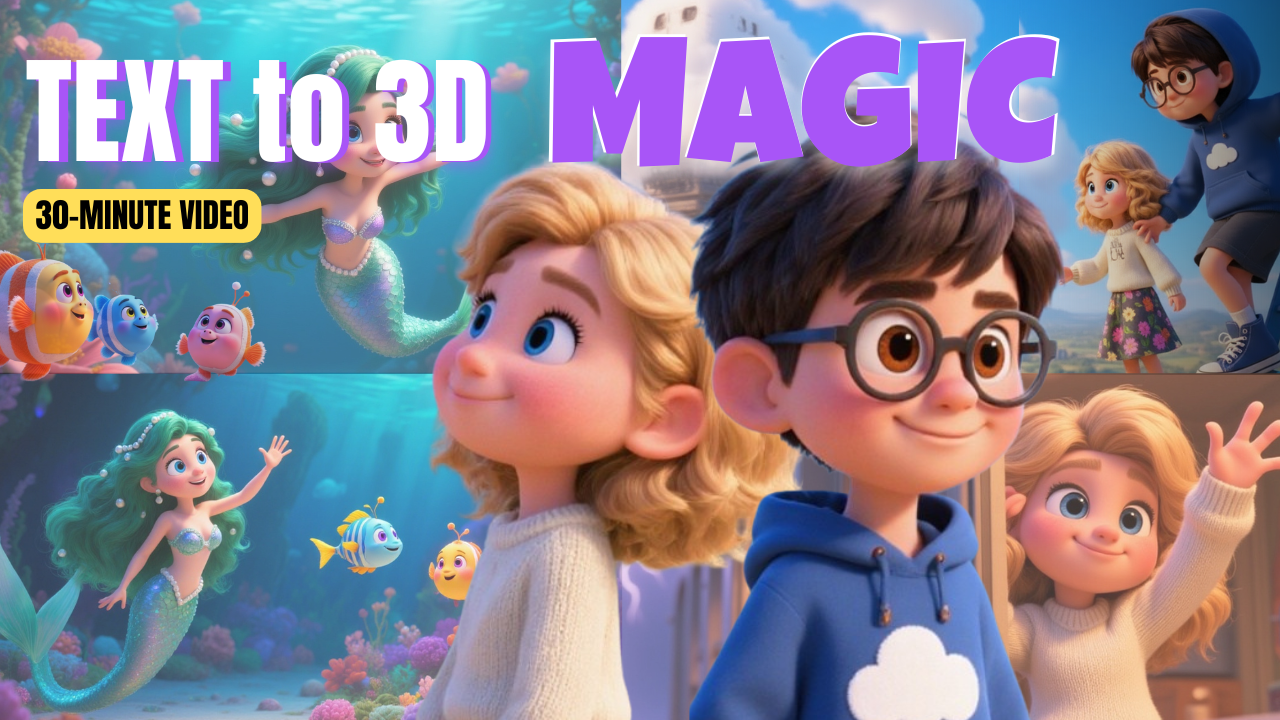
If you’ve ever wanted to create professional-quality animated videos but thought it would take multiple tools, expensive subscriptions, or months of learning, you’re not alone. Traditionally, producing a polished animated story meant juggling several platforms—one for scriptwriting, another for image generation, one for animation, plus separate tools for voiceovers, sound effects, and editing. Not only is that overwhelming, but it can easily cost over $80 per month.
But what if you could do all of that in just one tool? That’s where Magiclight AI comes in. This revolutionary platform makes it possible to create full-length animated stories—from kids’ fairy tales to sci-fi epics—using a single prompt and a streamlined workflow. Even better, your characters stay consistent across scenes, and you can produce up to 50-minute fully monetizable 3D animation videos for platforms like YouTube, TikTok, or Instagram.
In this guide, we’ll break down exactly how Magiclight AI works, step by step, so you can start creating your own animations today.
Why Choose Magiclight AI for 3D Animation?
Before we dive into the tutorial, let’s look at why Magiclight AI is such a game-changer for creators, educators, and businesses.
-
All-in-One Platform – Script, storyboard, character design, animation, voiceovers, and editing—all in one place.
-
Cost Savings – Replace 4–5 separate tools with one subscription.
-
3D Animation Styles – Choose from Pixar-inspired visuals, Disney-style characters, realistic designs, or even comic book and cyberpunk aesthetics.
-
Character Consistency – Unlike other tools, your characters remain perfectly consistent across scenes.
-
Scalability – Create short 60-second clips or full 50-minute animated movies.
-
Monetization Ready – Export polished videos suitable for YouTube monetization and brand partnerships.
If you’re serious about making 3D animation accessible, affordable, and professional-looking, Magiclight AI is one of the best solutions available.
Getting Started with Magiclight AI
Step 1: Sign Up and Explore
Head over to the Magiclight AI website. Signing up is quick—just enter your email, and you’ll usually receive free credits to test out the platform.
Once inside, you’ll see community creations, which can inspire your own projects. These range from animated fairy tales to futuristic sci-fi adventures.
Step 2: Create Your First Story (Smart Script vs. Basic Script)
Magiclight AI gives you two ways to start:
-
Smart Script – Perfect if you only have a small idea. You type in a short concept, and the AI expands it into a full story.
-
Basic Script – Great if you already have a complete script written (or generated with ChatGPT).
For beginners, Smart Script is an excellent choice. You can take a simple idea like “two kids discover a magical cloud train” and let Magiclight AI build it into a full narrative with multiple scenes.
Step 3: Select Your Style and Video Format
Once your script is ready, you’ll need to make a few creative decisions:
-
Video Ratio – Choose vertical (for TikTok/Instagram), horizontal (for YouTube), or square formats.
-
Language – Produce animations in multiple languages for a global audience.
-
Visual Style – Pick from Pixar-like 3D animation, Disney-style, realistic, cyberpunk, or comic-book looks.
For a playful children’s story, most creators prefer the Pixar-style 3D animation because it’s colorful, engaging, and family-friendly.
Step 4: Break Down the Story into Scenes
Magiclight AI automatically splits your script into individual scenes. Each scene is paired with a generated image, and the number of scenes depends on the length of your story.
Pro tip: Keep each scene around 5 seconds long. Short, dynamic scenes improve viewer engagement and retention.
You can edit, split, or expand scenes at this stage.
Building Your Cast with Magiclight AI
AutoCast for Instant Characters
One of the most powerful features of Magiclight AI is character creation. Instead of worrying about inconsistent designs, you can use AutoCast to generate your characters instantly.
Custom Character Design
Want more control? You can create characters with text prompts. Simply describe their age, gender, outfit, or personality, and Magiclight AI brings them to life.
If you want more detailed prompts, you can use ChatGPT to generate character descriptions. For example:
-
“Amy, a curious 10-year-old with pigtails, wearing a sky-blue dress.”
-
“The Cloud Conductor, an elderly man with a glowing lantern and flowing coat.”
Once you finalize your characters, they’ll remain consistent throughout your 3D animation project.
Storyboarding and Visual Editing
After selecting your cast, Magiclight AI generates a visual storyboard. Each scene gets its own AI-created image, and you can tweak them however you like.
-
Regenerate Images – Don’t like an image? Click regenerate.
-
Prompt Expansion – Add more detail to your prompt for refined visuals.
-
Nano Banana Integration – A built-in editor lets you replace or edit specific image elements. For example, you can swap a wooden ladder for a steel one with a single edit.
This level of control makes it easy to produce professional-quality storyboards without needing Photoshop or other design software.
Animating with Magiclight AI
Now comes the fun part: bringing your story to life.
-
Automatic Animation – Magiclight AI animates characters and scenes automatically.
-
Custom Motion Prompts – For more control, you can type prompts like “characters running through a storm” or “a slow-motion hug.”
-
Animation Models – Choose different animation models for unique effects. The Hiluo 02 model is popular for smooth, realistic movement.
Watching your static storyboard transform into fluid 3D animation feels like magic.
Adding Voiceovers and Lip Sync
Built-In Voices
Magiclight AI includes a library of professional-quality voiceovers. You can preview them, adjust speed, and assign them to specific characters.
Voice Cloning
Want your own voice in the animation? You can clone your voice and use it throughout your project.
Lip Sync
Once your voiceover is set, simply enable lip sync and your characters’ mouths will automatically match the dialogue.
This is especially powerful for YouTube creators looking to engage audiences with polished storytelling.
Sound Effects and Background Music
To enhance immersion, Magiclight AI lets you:
-
Add sound effects (wind, rain, footsteps, magical chimes, etc.).
-
Choose background music that matches your story’s tone.
-
Adjust audio levels for balance between voice, sound effects, and music.
This eliminates the need for external audio editing software.
Final Edits and Exporting Your 3D Animation
Before exporting, you can:
-
Design a custom cover image.
-
Add a video title and subtitles.
-
Review the full project.
Once you’re satisfied, click Generate. In just a few moments, your complete 3D animation video is ready to download and share.
Magiclight AI lets you export both videos and still images, which is great if you want to repurpose content for thumbnails, social media posts, or marketing campaigns.
Example Story Created with Magiclight AI
Here’s a brief look at a sample story generated with Smart Script:
-
Characters: Max and Amy, two kids exploring a magical hill.
-
Adventure: They discover the Nimbus Express, a cloud train.
-
Conflict: A mischievous imp named Zephyr tries to derail their journey.
-
Resolution: With courage and teamwork, they save the train and bring life-giving rain to a barren land.
This story was created entirely in Magiclight AI with no outside editing. The result was a vibrant, Pixar-style 3D animation that could easily be uploaded to YouTube.
Who Should Use Magiclight AI?
Magiclight AI is versatile and works for:
-
Content Creators – Make animated YouTube videos, shorts, or TikToks.
-
Educators – Turn lessons into engaging 3D animated stories.
-
Businesses – Produce animated explainer videos for products or services.
-
Authors – Visualize story ideas as animated short films.
-
Kids and Families – Create bedtime stories in animation form.
Whether you’re a solo creator or part of a media team, Magiclight AI can help you save time and money while creating professional-quality content.
Monetization Potential with 3D Animation
One of the most exciting parts of Magiclight AI is that the videos you create are fully monetizable on platforms like YouTube. Imagine turning a simple idea into a 50-minute animated story that generates ad revenue, attracts sponsorships, or even sells as digital content.
And since the platform keeps your characters and style consistent, you can build a recognizable animated brand over time.
Tips for Success with Magiclight AI
-
Start Simple – Begin with short clips before moving on to longer animations.
-
Use Prompts Wisely – The more specific your prompts, the better your results.
-
Experiment with Styles – Try Pixar-style 3D animation for kids’ stories, or realistic models for sci-fi and horror.
-
Leverage ChatGPT – Use it to brainstorm scripts, characters, and scene prompts.
-
Engage Your Audience – Repurpose your Magiclight AI videos into shorts, reels, or social media posts.
Conclusion
Creating professional-quality 3D animation no longer requires a studio, a massive budget, or years of training. With Magiclight AI, anyone can turn a simple idea into a polished animated video—complete with consistent characters, fluid motion, voiceovers, sound effects, and background music.
Whether you’re making kids’ stories, educational content, or brand videos, Magiclight AI gives you everything you need in one platform. And best of all, you can get started for free.
So, if you’ve been dreaming about producing your own animated content, now’s the perfect time to dive in. With Magiclight AI, the only limit is your imagination.
