
Artificial Intelligence has reached a groundbreaking milestone. For the first time in history, anyone—not just developers—can build fully functional AI-powered applications using simple text prompts. No programming knowledge. No complex setup. Just ideas and creativity.
At the center of this revolution is Google AI Studio, a powerful and completely free platform that allows users to build AI automation tools, AI animation apps, chatbots, image generators, translators, and more—often in just minutes.
In this in-depth guide, we’ll explore how Google AI Studio works, why it’s a game-changer for creators and businesses, and how you can use it to build real-world applications such as AI animation tools, mockup generators, AI photographers, and multilingual voiceover systems.
Whether you’re a content creator, marketer, entrepreneur, or simply curious about AI, this guide will show you how to turn ideas into working AI products faster than ever before.
What Is Google AI Studio?
Google AI Studio is Google’s official platform for building AI-powered applications using Gemini models through a simple, user-friendly interface.
Unlike traditional development tools, Google AI Studio allows you to:
-
Build apps using natural language prompts
-
Combine multiple AI features without coding
-
Test and refine apps in real time
-
Deploy AI-powered workflows instantly
Best of all, Google AI Studio is free, making it one of the most accessible AI platforms available today.
Why Google AI Studio Is a Game-Changer
Before platforms like Google AI Studio, building AI apps required:
-
Programming skills
-
API integrations
-
Model training
-
Significant time and money
Now, all of that complexity is abstracted away. With Google AI Studio, you can:
-
Describe what you want
-
Select AI features
-
Let Gemini generate the logic and structure
This shift dramatically lowers the barrier to entry and unlocks AI for everyone.
Key Features of Google AI Studio
Google AI Studio offers a wide range of modular AI features that can be combined into powerful applications:
🔹 Live APIs
Connect real-time AI capabilities to your app, such as image generation, speech synthesis, or translation.
🔹 AI Image Generation & Editing
Upload images and modify them using prompts—perfect for AI animation, mockups, and creative workflows.
🔹 AI Chatbots
Build conversational AI bots for customer support, education, or content creation.
🔹 Video Understanding
Analyze and interpret video content using AI.
🔹 Speech Generation & Transcription
Convert text to speech, speech to text, and translate audio into multiple languages.
These features can be mixed and matched depending on your use case.
Getting Started With Google AI Studio
To begin, simply visit Google AI Studio and navigate to the Build section.
The interface is clean and beginner-friendly:
-
Choose features from a list
-
Describe your app idea in plain English
-
Let the AI do the heavy lifting
You can either:
-
Manually select features
-
Or click “I’m Feeling Lucky” to let Google AI Studio generate app ideas automatically
Example 1: Building an AI Product Mockup Generator
One of the most impressive demonstrations of Google AI Studio is how quickly it can generate real business-ready apps.
Using the “I’m Feeling Lucky” option, the platform may suggest an idea like:
“Create an app where users upload a logo and place it on product mockups such as mugs, t-shirts, or tote bags.”
This is an incredibly practical use case, especially for:
-
Print-on-demand businesses
-
E-commerce sellers
-
Brand designers
-
Marketing agencies
How It Works
-
Upload a logo
-
Select a product (tote bag, hoodie, t-shirt, etc.)
-
Choose colors and scale
-
Generate realistic mockups instantly
The AI automatically builds the app interface and logic.
Editing Images With Prompts (AI Animation Use Case)
What makes this even more powerful is prompt-based image editing.
For example, after generating a mockup, you can type:
“Put the bag on a table in a modern office.”
Within seconds, the AI transforms the image into a realistic lifestyle scene. This functionality is a perfect example of AI animation and scene generation, where static visuals are enhanced dynamically using AI.
You can then:
-
Download images
-
Use them in ads
-
Add them to websites or social media
Example 2: Creating an AI Photographer App
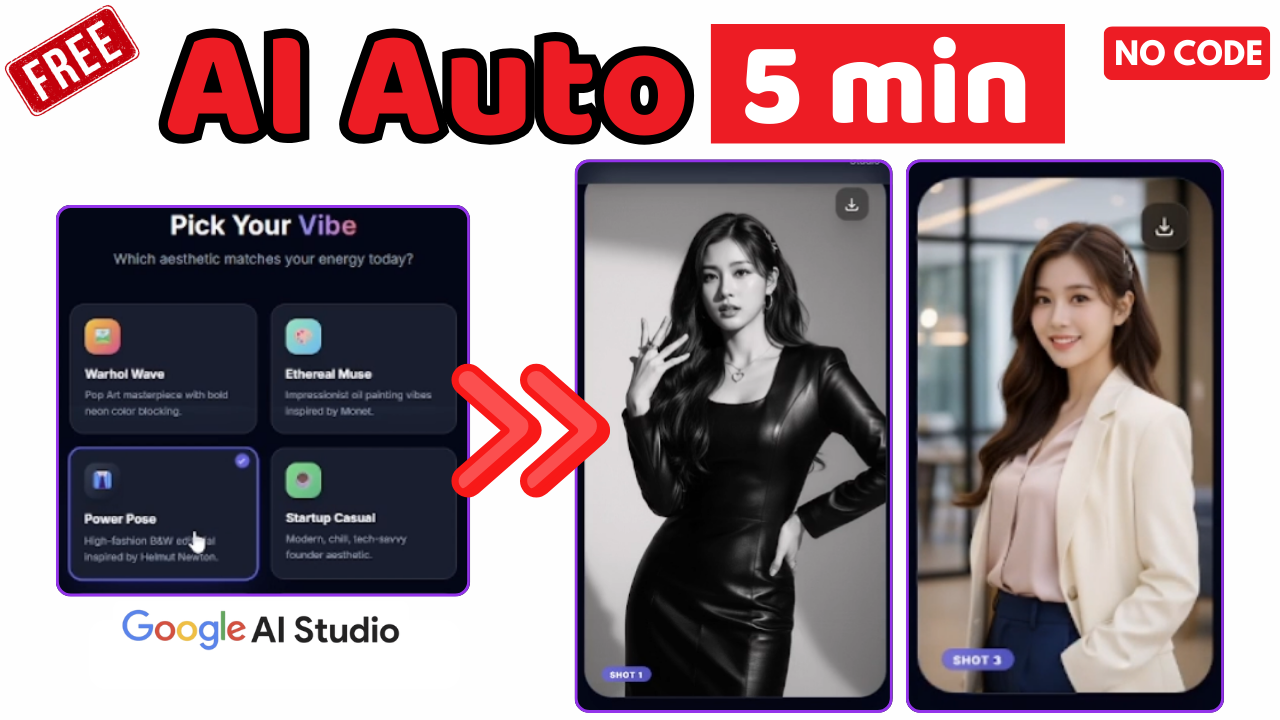
Another powerful application of Google AI Studio is building a personal AI photographer.
The Concept
Upload a simple selfie → AI converts it into professional-quality photos in different styles.
This type of app is ideal for:
-
Influencers
-
LinkedIn profiles
-
Personal branding
-
Creative portfolios
Features Included
-
Aspect ratio selection
-
Style presets (professional, power pose, editorial, etc.)
-
Prompt-based edits
For example, you can type:
“Remove the microphone. The subject is posing confidently.”
The AI updates the image instantly—no Photoshop required.
Iterative Improvement With AI
One of the most important principles when using Google AI Studio is iteration.
You don’t need to build a perfect app on the first attempt.
Instead:
-
Start with a simple version
-
Test the output
-
Add small improvements using prompts
For instance, you might ask:
“Generate three images instead of two.”
The AI updates the app logic automatically—no redeployment, no code changes.
Example 3: AI Automation for Multilingual Voiceovers
AI automation truly shines when solving real-world problems.
A common challenge for content creators is video translation and dubbing. Most professional tools are expensive and time-consuming.
With Google AI Studio, you can build your own solution.
Building an AI Voice Translation App
Using built-in features like:
-
Speech transcription
-
Language translation
-
Speech generation
You can create an app that:
-
Accepts an uploaded audio file
-
Transcribes the speech
-
Allows users to select from 20+ languages
-
Translates while preserving tone and length
-
Generates a downloadable voiceover
The result is a near-perfect multilingual audio track that can be added directly to videos.
This is a powerful example of AI automation combined with AI animation workflows, especially for global content distribution.
Why Google AI Studio Is Perfect for AI Animation Projects
Although Google AI Studio is not a traditional animation tool, it plays a crucial role in AI animation pipelines:
-
Generating image variations
-
Creating dynamic scenes
-
Producing voiceovers for animated characters
-
Automating visual content workflows
By combining image generation, prompt-based editing, and speech synthesis, creators can build AI animation systems without technical barriers.
Who Should Use Google AI Studio?
Google AI Studio is ideal for:
✅ Content Creators
Create AI-generated visuals, voiceovers, and animations faster.
✅ Entrepreneurs
Build MVPs and SaaS tools without developers.
✅ Marketers
Automate ad creatives, banners, and social media content.
✅ Educators
Build interactive learning tools and AI tutors.
✅ Developers
Prototype ideas rapidly before production.
SEO Benefits of Using Google AI Studio for Content Creation
From an SEO perspective, Google AI Studio enables:
-
Faster content production
-
Scalable creative assets
-
Consistent branding across platforms
-
Localization for global audiences
By leveraging AI automation, businesses can publish more content, reach more users, and test ideas faster—all critical factors for modern SEO success.
Best Practices When Building Apps With Google AI Studio
To get the most out of the platform:
-
Start simple
-
Test frequently
-
Refine using prompts
-
Think in workflows, not features
-
Focus on real problems
AI is not about perfection—it’s about speed, iteration, and creativity.
The Future of AI Automation and AI Animation
Google AI Studio represents a broader shift in technology:
-
From coding → prompting
-
From complexity → accessibility
-
From slow development → instant execution
As AI models continue to improve, platforms like Google AI Studio will become essential tools for anyone building digital products, animations, or automated systems.
Final Thoughts
Google AI Studio proves that you no longer need technical skills to build powerful AI applications. With nothing more than an idea and a prompt, you can create tools that once required entire development teams.
If you’re serious about AI automation, AI animation, or building future-ready digital products, now is the time to start experimenting.
The barrier has never been lower—and the possibilities have never been greater.
Watch other video in this series: Build a FREE No-Code AI App Using Google AI Studio
