
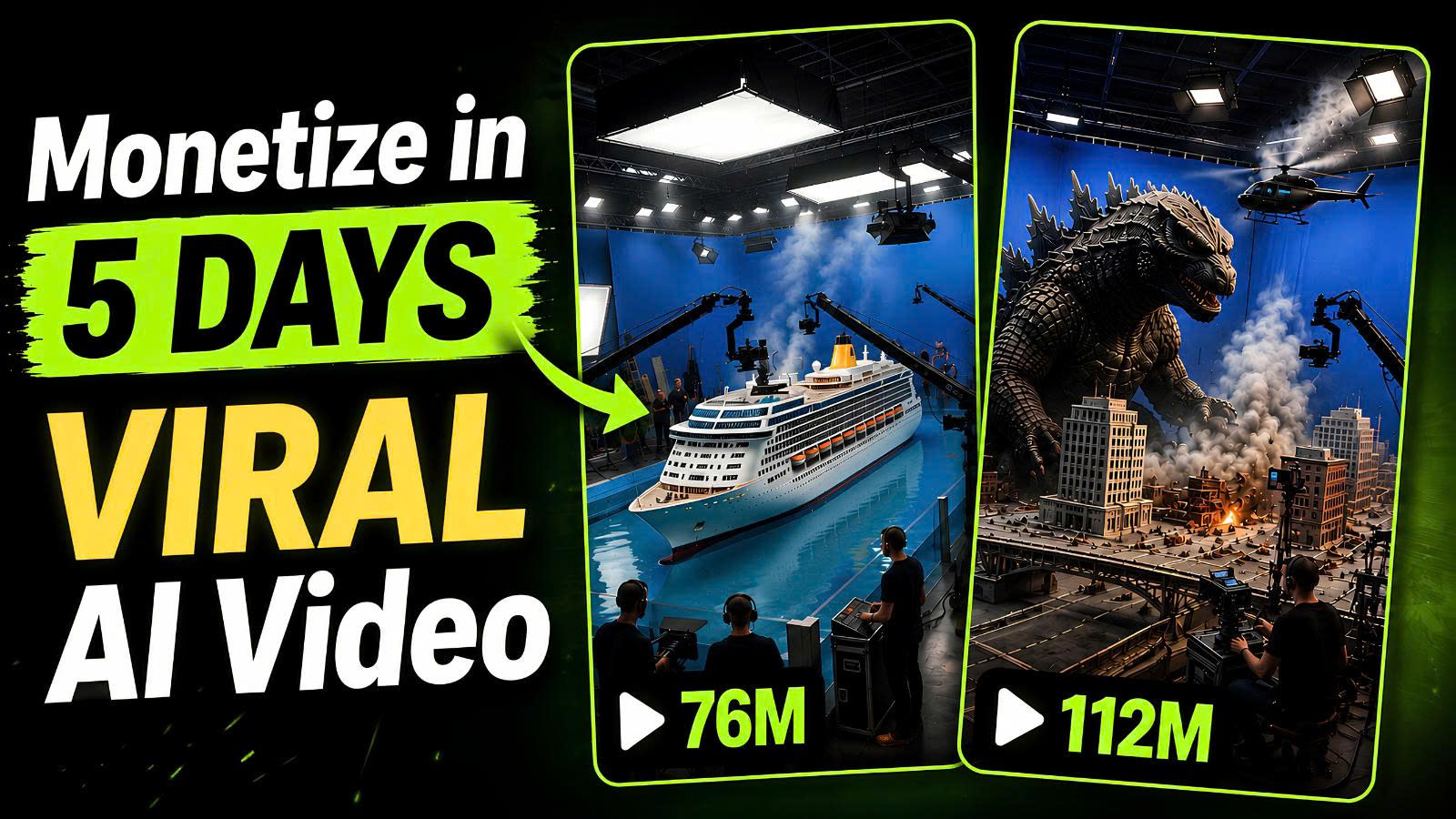
Have you noticed those viral “behind-the-scenes” Hollywood Visual Effects (VFX) videos taking over social media? Pages on platforms like Instagram and YouTube Shorts are gaining millions of followers and accumulating hundreds of millions of views using a very specific content format: showing a movie crew filming an action sequence, followed by a seamless transition into stunning, movie-grade visual effects.
Historically, producing this kind of content required a full production crew, high-end cinema cameras, expensive green screens, specialized VFX artists, and months of post-production in software like Cinema 4D or After Effects.
Today, artificial intelligence has completely flipped the script.
With Google Flow and Google Gemini, you can now design, script, and generate photorealistic Hollywood VFX videos in minutes—100% free, without filming a single second of real-world footage or writing complex code.
In this ultimate guide, we will break down the exact end-to-end framework to create ultra-realistic VFX behind-the-scenes videos that grab attention, drive engagement, and build a massive online brand.
Why Hollywood VFX Content is Exploding Right Now
Before diving into the technical workflow, it’s essential to understand why this format works so well for audience growth and algorithmic reach across modern video platforms.
1. High Curiosity and Novelty Value
Human beings are naturally curious about how cinematic magic is made. “Behind-the-scenes” content pulls back the curtain on movie magic. When viewers see camera operators running alongside actors while a giant creature or explosive disaster unfolds in real time, it creates an immediate hook within the first 3 seconds.
2. Massive Algorithmic Reach Across Platforms
Because these videos combine high production value with fast-paced action, watch time and retention rates skyrocket.
-
Instagram Reels & TikTok: Creators have built accounts with over 1.4 million followers and individual posts pulling in 800+ million views.
-
YouTube Shorts & Long-form Content: Brand-new YouTube channels with fewer than 10 published videos are consistently generating hundreds of thousands of views within 24 to 48 hours of posting.
3. Zero Production Overhead
Using traditional methods, a 10-second CGI destruction scene could easily cost thousands of dollars. By leveraging Gemini to act as your director/screenwriter and Google Flow as your digital camera and rendering engine, your total production cost drops to zero.
The Core Tech Stack: Gemini + Google Flow
To achieve true Hollywood-grade realism, you need a two-part AI workflow:
-
Google Gemini (The Director & Screenwriter): Generates high-level visual concepts, structures multi-angle shot breakdowns, and crafts hyper-detailed text-to-video prompts.
-
Google Flow (The Cinema & VFX Engine): Uses state-of-the-art visual generation models (such as the Omni Flash video model) to turn structured prompt breakdowns into realistic photorealistic video clips complete with camera movement, set props, crew members, and visual effects.
Step-by-Step Tutorial: From Idea to Finished Hollywood VFX Scene
Let’s walk through the exact three-step process you can replicate right now to build your first cinematic masterpiece.
Step 1: Brainstorming Cinematic Concepts with Gemini
You don’t need to spend hours agonizing over a script or writing complex prompts from scratch. Gemini excels at rapid creative ideation when given structured parameters.
How to Do It:
-
Navigate to Google Gemini (gemini.google.com).
-
Input a master ideation prompt into the chat window.
Master Ideation Prompt Example: “Act as an award-winning Hollywood VFX Director. Give me a list of 10 high-concept, visually thrilling behind-the-scenes movie scene ideas featuring realistic action, environmental hazards, or giant monster encounters. Ensure each idea is punchy, high-stakes, and cinematic.”
-
Within seconds, Gemini will return 10 distinct movie scene concepts—ranging from car chases across collapsing bridges to giant alien attacks in major metropolitan areas.
-
Review the options and select the concept that possesses the strongest visual hook.
(Note: If you already have your own original idea—such as a specific city location, futuristic sci-fi element, or vehicle stunt—you can skip the generic list and feed your specific concept directly to Gemini).
Step 2: Generating the Technical Master Prompt in Gemini
This is the secret sauce. A generic prompt like “a monster attacking a city” will produce generic AI video results. To get true Hollywood VFX realism, your prompt must describe:
-
Camera Mechanics: Camera placement, lens focal length, tracking movement (e.g., handheld, jib arm, dolly tracking shot).
-
On-Set Environment: Film crew presence, slate clapboards, camera operators running, safety gear, lighting rigs.
-
VFX Layering: How physical practical elements blend with incoming computer-generated imagery.
-
Color Grade & Lighting: Cinematic color space, natural lighting, shadow directions, and lens flare specs.
Instructing Gemini to Write the Shot Breakdown:
Tell Gemini which idea you picked (or enter your custom idea) and ask it to output a technical prompt formatted specifically for video generation.
Prompt Refinement Example: “I choose Option #3 (or: ‘A giant creature attacking a military helicopter in a downtown urban metropolis’). Now, write a comprehensive, highly descriptive single-paragraph master prompt for an AI video generator. Describe the camera movement starting with a film crew running with a handheld rig, slate clapboard callout (‘Action!’), transition to atmospheric practical explosions, high-speed camera pans, dynamic lighting, cinematic color grading, and hyper-realistic visual effects.”
Once Gemini generates the full technical response, copy the entire detailed text block.
Step 3: Generating the Video inside Google Flow
With your master prompt copied, it’s time to bring the scene to life using Google Flow.
Workspace & Parameter Configuration:
-
Open Google Flow and select New Project.
-
Turn off Agent mode (to retain full manual control over prompt execution).
-
Select the Video generation tab.
-
Choose Aspect Ratio:
-
Choose 9:16 (Vertical) if you are publishing to TikTok, Instagram Reels, or YouTube Shorts.
-
Choose 16:9 (Horizontal/Widescreen) if you are building a standard long-form cinematic YouTube video or film project.
-
-
Select Model: Choose Omni Flash (optimized for speed, complex motion capture, and lighting realism).
-
Set Duration: Set to 10 seconds for optimal pacing.
-
Set Outputs: Set output generation quantity to 1 (or more if you want multiple variations to edit together).
-
Paste & Execute: Paste your master text prompt from Gemini into the main text box and hit Generate.
Real-World Examples & Prompts to Try Today
To help you get started immediately, here are two proven prompt templates tested inside Google Flow:
Example A: Vertical Short-Form Content (9:16 Aspect Ratio)
-
Concept: Urban Emergency / Disaster Movie Action Shot
-
Google Flow Settings: Aspect Ratio:
9:16| Model:Omni Flash| Duration:10s -
Prompt Style:
“Behind-the-scenes movie set footage, vertical 9:16 format. A camera crew holding heavy digital cinema camera rigs runs frantically alongside actors dressed as rescue workers down a debris-filled city street. Dust and smoke fill the air. A camera operator holding a gimbal swings wide as a massive CGI ground collapse effect occurs in the background. Lens flares, dynamic handheld camera shake, ultra-photorealistic lighting, 8k resolution, cinematic motion blur, dramatic color grading.”
Example B: Widescreen Cinematic Sequence (16:9 Aspect Ratio)
-
Concept: Giant Monster vs. Military Helicopter
-
Google Flow Settings: Aspect Ratio:
16:9| Model:Omni Flash| Duration:10s -
Prompt Style:
“Horizontal 16:9 widescreen behind-the-scenes Hollywood film production shot. A film director and camera operators stand on a elevated crane platform in a simulated rain-soaked city street. The camera tracks fast toward a low-angle view showing a giant towering monster striking a military helicopter mid-air. Explosive spark effects, water droplets spraying across the camera lens, moody dark blue and orange cinematic lighting, volumetric smoke, photorealistic textures.”
Pro Tips for Scaling Your AI VFX Brand
Creating great videos is only half the battle. If you want to build a sustainable, profitable digital media presence around Hollywood VFX and AI content creation, follow these strategic optimization tips:
1. Maintain Visual Consistency
When creating a series or channel, keep your camera styles and lighting directions consistent. If your account focuses on sci-fi horror, stick to cooler color palettes, low-key lighting, and intense handheld camera moves.
2. Audio Design Matters (The 50% Rule)
Video is only half of the viewer experience. Pair your Google Flow visual clips with high-quality sound effects (SFX):
-
Add clapperboard sound effects at the beginning (
"Rolling... Speed... Action!"). -
Layer heavy bass drops, creature roars, atmospheric wind, and mechanical engine noises when visual effects appear on screen.
-
High-quality sound design instantly doubles the perceived production value of AI-generated video.
3. Monetization Strategies
Once you start pulling consistent views, monetize your platform through multiple revenue streams:
-
YouTube AdSense / Creator Funds: High-retention short-form and long-form content earns premium CPM rates in media and tech niches.
-
Sponsorships & Brand Deals: AI software companies, camera gear manufacturers, and digital asset marketplaces frequently sponsor creators showcasing AI workflows.
-
Selling Digital Assets & Prompts: Package your top-performing Gemini prompts and structural templates into digital downloads for aspiring creators.
Frequently Asked Questions (FAQ)
Is Google Flow completely free to use?
Yes, Google Flow offers free access to video generation tools, allowing creators to experiment with AI motion creation without upfront software costs.
Do I need a powerful GPU or editing computer?
No. Because both Gemini and Google Flow run entirely in the cloud within your web browser, all computational rendering takes place on remote servers. You can generate cinema-grade content from a standard laptop or tablet.
Can I upload these videos directly to social media without copyright issues?
Yes. Prompts and footage generated through this workflow are original AI creations, making them ready for upload across YouTube, Instagram, TikTok, and Facebook.
Final Thoughts
The democratization of visual effects is here. You no longer need a multimillion-dollar studio budget or decades of technical VFX training to produce mind-blowing cinematic content.
By pairing the structural intelligence of Gemini with the photorealistic rendering power of Google Flow, you hold a complete film studio right inside your web browser.
Start experimenting with your own concepts today, refine your prompting techniques, and capture your share of the massive audience craving high-octane Hollywood VFX content!
Octask AI Review 2026: Build Your Own AI Team to Create Videos Faster
