
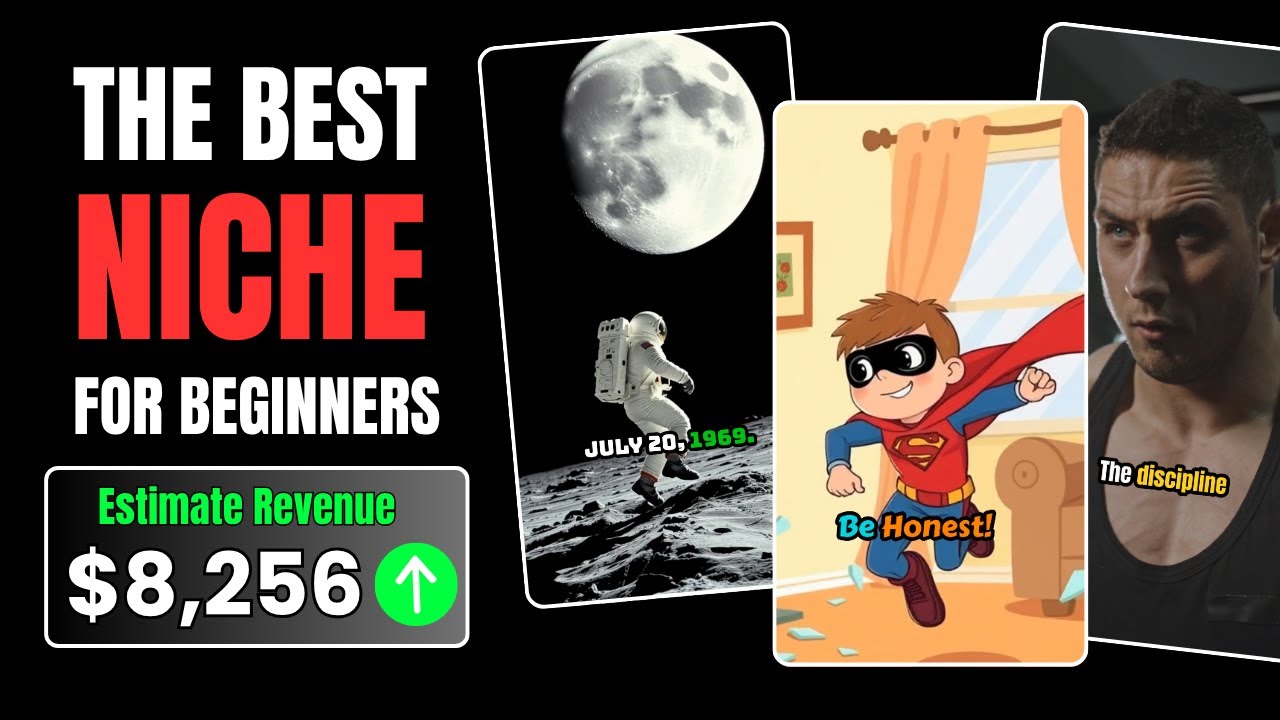
If you’ve ever dreamed of starting a YouTube channel but felt overwhelmed by editing, voiceovers, or lack of time — this guide is for you. In this in-depth tutorial, I’ll walk you through how to use Videogen AI to create professional, monetizable YouTube Shorts in just minutes — no filming, no editing, no recording required.
Whether you’re targeting motivation, history, horror, or even cartoon content, this tool lets you automate nearly everything while still producing content that feels engaging and human.
What Is Videogen AI?
Videogen AI is a cutting-edge content creation tool that enables you to create fully edited short-form videos using AI-generated visuals, voiceovers, and scripts. Think of it as your personal video production studio — but 100x faster.
Unlike traditional editing software, Videogen AI handles everything:
-
Video footage (stock or generative)
-
Scriptwriting (via AI or your own input)
-
Voiceovers (with customizable AI voices)
-
Captions, branding, and music
Whether you’re a complete beginner or an experienced creator looking to save time, Videogen AI gives you the power to publish quality content fast.

Why Use Videogen AI for YouTube Shorts?
Let’s be honest: creating videos from scratch takes a lot of work — scripting, recording, editing, adding subtitles, and optimizing. That can easily eat up hours of your day.
With Videogen AI, you can:
-
Create 10 videos in 15 minutes
-
Skip the recording and editing process entirely
-
Tap into viral niches quickly (motivational, historical, horror, etc.)
-
Build a brand and grow a channel consistently
Bottom line? You can finally post daily without burning out.
Step-by-Step: How I Created Viral Shorts with Videogen AI
Step 1: Sign Up for Videogen AI
Head to the Videogen AI website and click Sign Up in the top-right corner. I recommend signing in with your Google account for speed.
Once inside, you’ll be prompted to upgrade to Videogen Pro. This unlocks key features like:
-
HD & 4K downloads
-
Unlimited video generation
-
Advanced AI visuals and voiceovers
💡 Pro Tip: If you’re serious about growing a channel or monetizing Shorts, upgrading is 100% worth it.
Step 2: Select Video Type and Format
After logging in, you’ll land on the dashboard. Here’s how to configure your video settings:
-
Video Type: Choose
Standard Stock(uses high-quality stock clips) -
Clip Pace: Set to
Fast— this keeps your audience engaged -
Aspect Ratio: Choose
9:16— perfect for Shorts and mobile platforms
Then click Continue.
Step 3: Generate Video Ideas with ChatGPT
Not sure what your video should be about? No problem.
I used ChatGPT with some simple prompts to generate 10 motivational video ideas in seconds.
Example prompt:
“Give me 10 viral motivational video ideas for YouTube Shorts, each under 60 seconds.”
Copy one of the ideas and paste it into the “Idea” box in Videogen AI.
This is where the real automation magic starts.
Step 4: Auto-Generate and Refine Your Script
Once you input your idea, Videogen AI will automatically generate a script. You can edit it manually or enhance it using ChatGPT.
If the script feels too generic, paste it into ChatGPT and ask:
“Can you rewrite this script to be more emotional and inspiring?”
Then copy the improved version back into Videogen AI.
Step 5: Add an AI Voiceover
No need to record your voice — Videogen lets you choose from:
-
Male or Female voices
-
Various languages and accents
This gives your video a polished, human-like voiceover with zero effort.
Step 6: Customize Visuals and Scenes
Don’t like a scene? Just click “Replace” and search their stock footage library.
You can replace any scene by typing in what you want — e.g.:
“Athlete tying shoes”
“Woman climbing stairs”
“Sunrise over mountains”
Videogen will suggest royalty-free clips that match.
Step 7: Add Branding and Subtitles
Upload Your Logo
Branding is crucial for consistency. Upload your logo and choose where it appears (top-left, bottom-right, etc.).
Customize Subtitles
Subtitles are auto-generated, but you can adjust:
-
Font style
-
Color and size
-
Positioning
Captions improve viewer retention and make your videos look pro.
Step 8: Add Music
Music sets the tone for your video. Videogen AI includes a built-in music library of copyright-free tracks.
Pick a background song, then:
-
Adjust volume
-
Preview how it sounds with the voiceover
No risk of copyright strikes — all tracks are cleared.
Step 9: Export and Upload
Once your video looks good:
-
Choose resolution: 1080p or 4K
-
Click Export
-
Download the final video file
Now it’s ready to upload to YouTube Shorts, Instagram Reels, or TikTok.
Want a Different Style? Try Generative Images
Instead of using stock footage, you can also try AI-generated visuals with Videogen.
This is great for:
-
History-themed videos
-
Cartoon or animated-style content
-
Sci-fi or fantasy storytelling
Switch the video type to Generative, enter your script, and let Videogen’s AI build each scene. If you don’t like the results, click Regenerate Scene to get fresh visuals.
It feels like creating your own mini movie — no art skills needed.
Real Examples I Created with Videogen AI
Here are a few videos I made using Videogen AI:
-
Motivational
“It’s not the spotlight that makes you great. It’s the 5 a.m. grind when no one’s watching.”
-
Historical
“July 20, 1969. One small step for man, one giant leap for mankind.”
-
Character-driven
“Even superheroes make mistakes. But real heroes? They always tell the truth.”
With Videogen AI, I was able to create each of these in under 3 minutes — without touching a camera or microphone.
Best Niches to Use with Videogen AI
These types of content perform extremely well with Videogen’s short-form video style:
-
Motivational
-
Historical moments
-
Life advice or quotes
-
Horror stories
-
Animated facts or trivia
-
Tech and science explainers
-
Inspirational quotes with visuals
You can even repurpose tweets, Reddit posts, or book quotes into video content.
How Videogen AI Can Help You Earn Passive Income
YouTube Shorts, TikTok, and Reels are being heavily prioritized by platforms right now. With Videogen AI, you can:
-
Post daily with minimal effort
-
Build niche authority and gain followers
-
Monetize through YouTube’s Shorts Fund, brand deals, or affiliate links
When you combine speed, quality, and consistency — you increase your chances of going viral.
Final Thoughts: Is Videogen AI Worth It?
Absolutely.
If you’re trying to build a content channel fast, without burning out or learning complex software, Videogen AI is the ultimate shortcut.
-
✅ Beginner-friendly
-
✅ Incredibly fast
-
✅ Fully automated
-
✅ Affordable Pro plan
-
✅ Scalable for passive income
Whether you’re creating 10 Shorts a week or 10 a day, Videogen AI can handle the load.
