
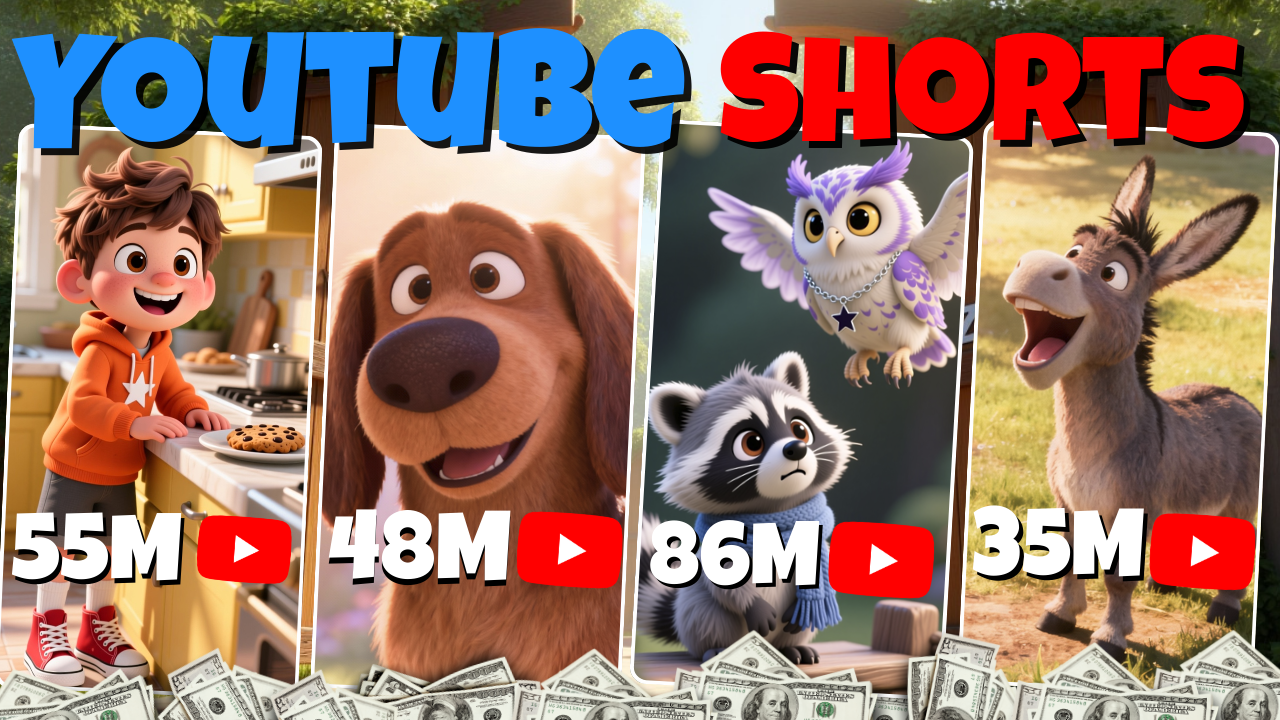
For a long time, creating 3D animated content felt impossible for beginners. Most people believed that producing cartoon shorts required a full animation team, expensive software, and weeks of rendering time. Because of that, many creators never even tried animation, assuming it was too technical, too slow, or too expensive.
That belief is no longer true.
Thanks to modern AI tools like Magiclight AI, anyone can now create high-quality 3D animated YouTube Shorts in a surprisingly short amount of time. These videos are vertical, visually engaging, and fully ready to post on YouTube Shorts, TikTok, or Instagram Reels—often in less than a day.
In this guide, you’ll learn how to create 3D animated YouTube Shorts from absolute zero, even if you have no animation experience at all. We’ll walk through the complete workflow using Magiclight AI, from writing a script to exporting a finished animated video.
Why 3D Animated YouTube Shorts Are Performing So Well
Before diving into the step-by-step process, it’s important to understand why this content format is exploding right now.
1. YouTube Shorts favors fast, engaging videos
YouTube Shorts is designed to promote short-form vertical content. Videos between 30 and 60 seconds are pushed aggressively by the algorithm, even on brand-new channels. Many creators are reaching hundreds of thousands—or even millions—of views without an existing audience.
2. 3D animated videos stand out instantly
Most Shorts are talking-head videos or simple edits. A 3D animated video immediately looks different. Animated characters grab attention, spark curiosity, and keep viewers watching longer.
3. AI removes the biggest barriers
With tools like Magiclight AI, you no longer need:
-
Animation skills
-
Expensive software
-
A production team
-
Weeks of rendering time
This makes 3D animated YouTube Shorts one of the most scalable content formats available today.
What Is Magiclight AI and Why It Matters
Magiclight AI is an all-in-one AI platform designed to simplify animated video creation. Instead of using multiple tools, Magiclight AI handles the entire workflow in one place.
With Magiclight AI, you can:
-
Generate consistent 3D animated characters
-
Turn scripts into storyboards automatically
-
Convert static images into animated scenes
-
Add voice-overs, sound effects, and music
-
Export videos optimized for YouTube Shorts
For beginners, this eliminates complexity and dramatically reduces production time.
Overview: The Complete Workflow
Here’s the full process you’ll follow to create 3D animated YouTube Shorts with Magiclight AI:
-
Write a short script
-
Create consistent 3D animated characters
-
Convert the script into a storyboard
-
Generate and refine scene images
-
Animate the scenes
-
Add voice-over and sound effects
-
Export and upload to YouTube Shorts
Now let’s break down each step in detail.
Step 1: Write a Short, High-Retention Script
Every successful 3D animated YouTube Shorts video starts with a strong script. No matter how good the visuals are, a weak story will lose viewers.
Best practices for Shorts scripts:
-
Length: 30–60 seconds
-
Hook viewers in the first 3 seconds
-
Simple story structure
-
Fast pacing and clear emotion
Short animated stories work especially well when they focus on:
-
Confidence
-
Fear and growth
-
Friendship
-
Small victories
Using AI to generate scripts
Instead of writing manually, you can use AI tools like ChatGPT to generate scripts instantly. For example, you might create a recurring character—such as a raccoon learning confidence—and build a short series around that theme.
This approach is powerful for SEO and growth because series-based content increases:
-
Viewer retention
-
Repeat viewers
-
Channel identity
Step 2: Create Consistent 3D Animated Characters with Magiclight AI
One of the hardest parts of animation is character consistency. Traditional AI tools often generate characters that look different in every scene.
Magiclight AI solves this problem with its AI Character feature.
How character creation works:
-
Enter the character’s name
-
Paste or write a detailed character description
-
Choose a visual style (Disney-style, Pixar-style, 3D cartoon, realistic, etc.)
For YouTube Shorts, a bright 3D cartoon style works best because it’s visually clear on mobile screens.
Once created, your character stays consistent:
-
Across every scene
-
Across every video
-
Across your entire animated series
This consistency is essential for branding and long-term channel growth.
Step 3: Turn the Script into a Visual Storyboard
After uploading your script, Magiclight AI automatically splits the story into short scenes. Each scene typically lasts around five seconds, which keeps the pacing fast and engaging.
Each scene is represented by an AI-generated image that matches the script.
Why this step is important:
-
You can see the entire story visually before animating
-
Every image is editable
-
Changes take seconds, not hours
Each image is generated from a text prompt, meaning you have full creative control.
Step 4: Edit and Enhance Scene Images
Not every image will be perfect on the first try, and that’s completely normal.
Magiclight AI allows you to:
-
Edit character placement
-
Change actions and emotions
-
Rewrite prompts for better results
You can also use AI expansion tools to add more detail to an image, making scenes richer and more cinematic.
Because image generation is free or low-cost, you can experiment as much as needed without worrying about wasted resources.
Step 5: Animate Your 3D Scenes
This is where static images turn into 3D animated videos.
Inside Magiclight AI, you simply:
-
Click “Animate”
-
Choose an animation model
-
Apply animation to one scene or all scenes at once
Different animation models create different motion styles. Some focus on subtle movement, while others handle complex physical actions more realistically.
You can:
-
Let the AI animate automatically
-
Use custom motion prompts for more control
-
Re-animate individual scenes if needed
This flexibility ensures your 3D animated YouTube Shorts look smooth and engaging.
Step 6: Add Voice-Over and Sound Effects
Audio is a major factor in viewer retention.
Voice-over options in Magiclight AI:
-
Multiple natural-sounding AI voices
-
Different tones and styles
-
Optional voice cloning for personal branding
For storytelling Shorts, choose a voice that matches the personality of your main character.
Sound effects and background music:
-
Add emotion and immersion
-
Match sounds to specific scenes
-
Adjust volume for mobile viewers
Well-balanced audio can significantly improve watch time, which directly impacts YouTube Shorts performance.
Step 7: Finalize, Export, and Upload to YouTube Shorts
Before exporting your video, Magiclight AI lets you customize:
-
Cover image
-
Title text and fonts
-
Subtitle styling
-
Background music
Once everything looks right, generate the final video.
Export settings:
-
Aspect ratio: 9:16
-
Optimized for short-form platforms
After exporting, upload your video to YouTube Shorts and optimize it for discovery.
SEO Tips for 3D Animated YouTube Shorts
To maximize reach and growth, follow these SEO best practices:
-
Include “3D animated”, “YouTube Shorts”, and “Magiclight AI” in your video description
-
Keep titles short and curiosity-driven
-
Post consistently (daily or several times per week)
-
Build series with recurring characters
From an algorithm perspective, YouTube rewards:
-
High retention
-
Repeat viewers
-
Consistent content themes
Animation makes all of this easier to scale.
Why Magiclight AI Is Ideal for Beginners
Compared to traditional animation workflows, Magiclight AI offers:
-
Faster production time
-
No technical animation skills required
-
Consistent character design
-
All-in-one creation process
For beginners, this means you can focus on storytelling and creativity, not software complexity.
Final Thoughts
Creating 3D animated YouTube Shorts is no longer reserved for professional studios. With tools like Magiclight AI, beginners can produce professional-looking animated videos quickly, affordably, and at scale.
If you’re looking for:
-
A faceless YouTube strategy
-
A scalable content model
-
A creative format with massive growth potential
Then 3D animated YouTube Shorts powered by Magiclight AI may be one of the best opportunities available right now.
If you want, I can also help you with:
-
SEO meta titles and meta descriptions
-
Keyword clusters around 3D animation and AI tools
-
Website content silo strategy
-
YouTube Shorts growth planning
-
High-retention animated story ideas
Just tell me what you’d like to optimize next.
Check out other video in this series:
